
 ES
ESHow to create your first AI worker
Create your first AI worker in AgentIQ from the onboarding, hire one from the Marketplace, or build a custom one by describing in plain words what it should do.
September 26, 2026 · 3 min read

In AgentIQ, a worker is an AI agent that serves your customers on your channels: it answers, sells, charges or books appointments depending on the job you give it. There are three ways to create one: from the onboarding, by hiring it from the Marketplace, or by building a custom one.
Option 1: from the onboarding
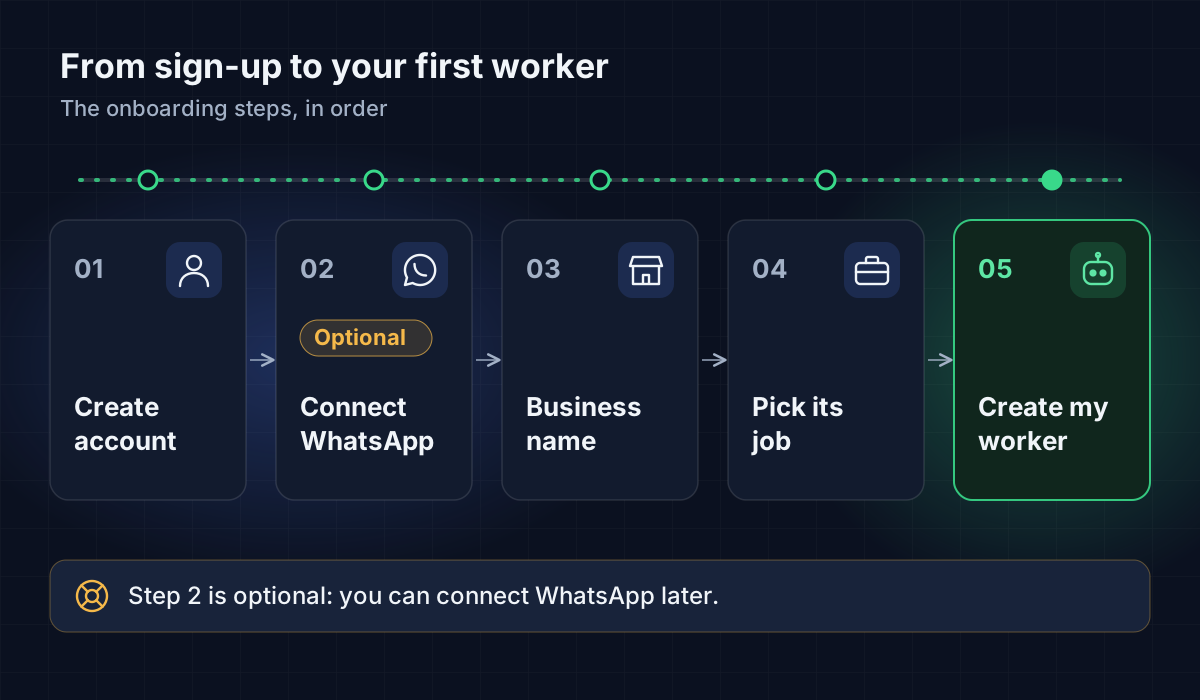
If you just created your account, the onboarding walks you to your first worker. These are the screens:
Connect your WhatsApp. Click Connect through Meta to connect your number now, or I'll connect it later to continue without it.
Who is this account for? Pick the option that fits.
Business name and What does it do? Type the name and pick the industry: Restaurants, Aesthetics, Dentistry, Veterinary, Real estate, Retail, Automotive, Education, Professional services or Other.
Your worker's name and What does it need to do? Give it a name and pick its main job:
- Take orders and dispatch deliveries (only shown if you picked Restaurants).
- Sell products from a catalog.
- Handle services and book appointments.
Then, in Tell us about your business, describe what you sell, your hours and what the worker should know.
What do you work with today? Check the tools you use. You can skip this screen.
How did you hear about us? Answer and click Create my worker.
Plans. Choose Continue on Free, a trial of a paid plan, or Go to the dashboard and decide later.
What each job does
| Job | What it's for |
|---|---|
| Take orders and dispatch deliveries | Takes the order with the real menu prices, asks for the location on WhatsApp, charges, notifies the delivery person and handles post-sale |
| Sell products from a catalog | Answers questions about your products and sells from your catalog |
| Handle services and book appointments | Explains your services and books appointments with your staff |
Option 2: hire one from the Marketplace
If you already have an account and want another worker:
- In the sidebar, go to Workers and then Team.
- Click Create worker. The Marketplace opens.
- Filter by category: Sales and prospecting, Marketing and content, Analysis and research, Customer support, or Operations.
- Browse the groups Made by AgentIQ, From the community and My templates.
- When you find one that fits, click Hire it.
If you built a worker that could help other businesses, you can share it with Publish mine. The AgentIQ team reviews it before it goes live.
Option 3: build a custom one
If no template fits:
- In the Marketplace, choose Build a custom one.
- In What does your worker need to do?, describe the job in your own words. For example: "Answer customer questions about my gym plans and book trial classes".
- Click Build my worker.
- Review and adjust what was generated: Job title, Introduces itself as, Its goal and Industry.
- Click Create worker.
Where to see and adjust your worker
Each worker has its own page with tabs:
- The basics: Summary, Identity and Channels.
- How it works: Training (the manual), Knowledge (documents) and Catalog.
- Payments and deliveries: Payments and Deliveries.
- What it says: Messages and Ask for help.
The path it follows in each conversation is called the Work process.
Next step
To let your worker serve real customers, continue with Connect WhatsApp.